8K Wireless Ergonomic Gaming Mouse: DPI, Dock, Setup
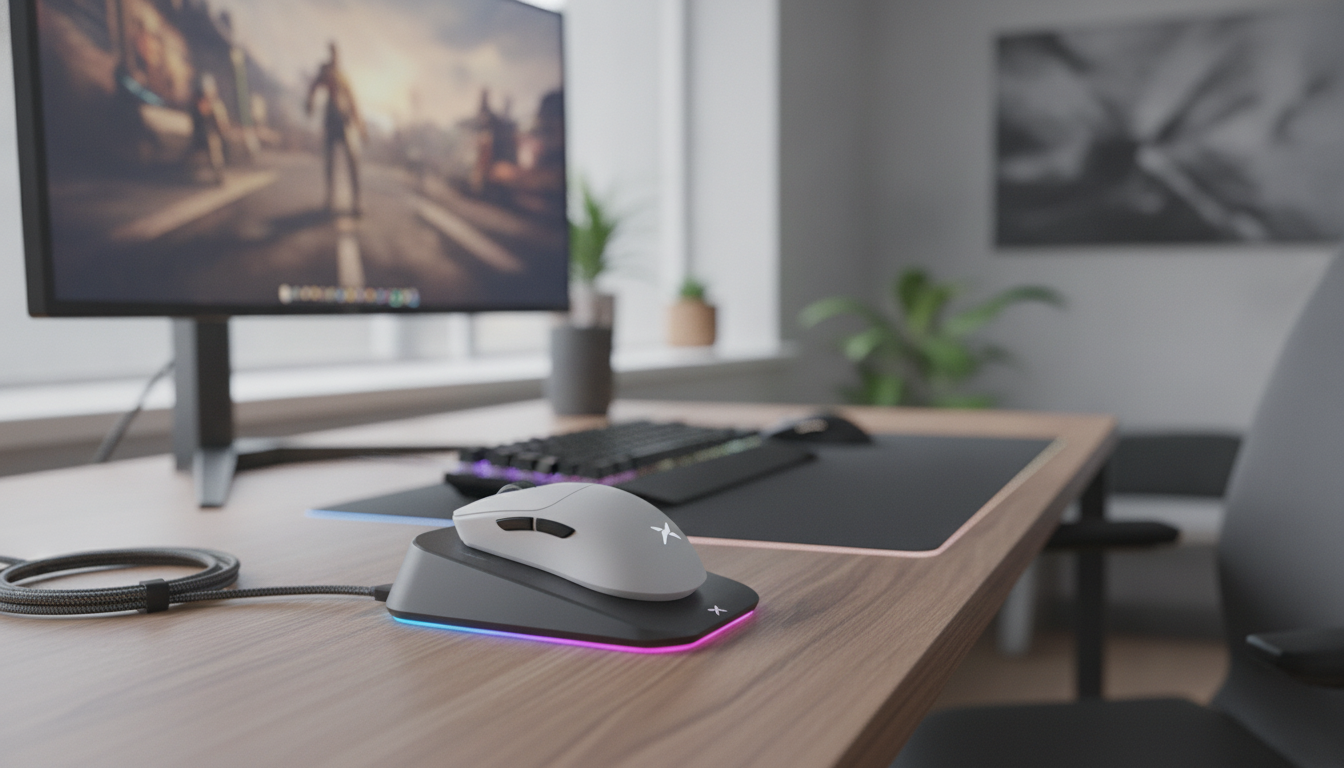
Wireless Ergonomic Gaming Mouse with 8K Polling, RGB Dock, 26000 DPI Sensor
Fast wireless response, a comfortable right-hand shape, and a high-ceiling sensor setup make a strong combo for competitive play and long sessions. A mouse like the Wireless Ergonomic Gaming Mouse with 8K Polling, RGB Dock, 26000 DPI Sensor is built for players who care about both precision and day-to-day convenience—especially when you’re switching between games, working at the same desk, or trying to keep your setup clean. Below is a practical breakdown of what 8K polling changes, how to tune DPI and lift-off behavior, and why an RGB charging dock can be more than just a visual upgrade.
What Makes This Mouse Different
This mouse stands out because it tries to solve three common pain points at once: comfort over long sessions, low-latency wireless control, and simple charging.
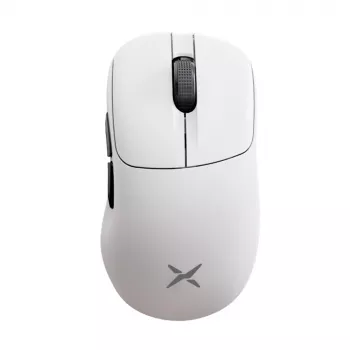
- Wireless ergonomic shell: A right-hand shape supports a steadier grip for flicks and tracking while aiming to reduce wrist strain during extended play.
- 8K polling support: Higher report frequency can reduce average input latency in compatible setups, helping inputs feel more “connected” at high refresh rates.
- 26000 DPI-class sensor ceiling: A wide tuning range lets you dial in low-sens arm aim or higher-sens wrist aim without hitting the limits of the sensor.
- RGB charging dock: Drop-in charging keeps the mouse topped up, reduces cable clutter, and gives the mouse a consistent home on the desk.
8K Polling: When It Helps and When It Doesn’t
Polling rate is how often the mouse reports its position to the PC. Higher polling rates reduce the time between updates, which can shave off small amounts of input latency. In best-case scenarios—fast shooters, high refresh monitors, and a stable system—those small gains can feel like cleaner micro-adjustments and slightly snappier stopping control.
That said, maxing polling rate isn’t always a free win. Very high polling can increase CPU overhead, and some systems may show stutter, frame pacing issues, or USB instability when pushed too far. Consistency matters more than a peak number, especially in ranked play.
A practical approach: start at 1000 Hz to establish a stable baseline, then step up to 2000/4000/8000 and watch for any hitching or odd timing issues. If problems appear, drop one step and re-test. For more context on USB behavior and device compliance, the USB Implementers Forum (USB-IF) is a reputable reference point.
Polling Rate Quick Guide
| Polling rate | Report interval (approx.) | Best for | Potential trade-offs |
|---|---|---|---|
| 1000 Hz | 1 ms | Most PCs and games; stable default | Lowest overhead; fewer edge-case issues |
| 2000 Hz | 0.5 ms | High refresh play with strong CPU headroom | Slightly higher CPU/USB load |
| 4000 Hz | 0.25 ms | Competitive shooters with tuned systems | More sensitive to USB/controller quality |
| 8000 Hz | 0.125 ms | Latency-focused setups, high-end systems | Highest overhead; may require troubleshooting |
DPI and Sensor Tuning for Real Gameplay
DPI isn’t a performance score—it’s a sensitivity scale. The most useful tuning comes from matching your DPI to your in-game sensitivity and the space you have on your mousepad. A higher ceiling (like a 26000 DPI-class sensor) is valuable because it gives flexibility across different games and monitors, not because you should play at the maximum setting.
- Common starting points: 400–800 DPI is a familiar range for FPS titles, while 800–1600 DPI often feels practical for mixed genres and everyday desktop work.
- Keep aim predictable: If aim feels inconsistent, check Windows pointer settings and disable pointer acceleration for muscle-memory-friendly control. Microsoft’s guidance on pointer settings is available at Microsoft Support.
- Lift-off distance (LOD): If the software allows LOD tuning, a lower setting can prevent cursor drift when you reposition. Just avoid going so low that tracking drops out on textured cloth pads.
If you like to standardize across games, set a DPI you can keep everywhere, then adjust in-game sensitivity to hit a consistent “feel” for 180° turns and micro-corrections.
Ergonomics and Grip: Comfort Without Giving Up Control
Ergonomic gaming mice typically support palm and relaxed claw grips. The goal is to reduce pinch tension in the fingers and limit awkward wrist extension while still offering a locked-in feel for fast tracking and controlled flicks.
RGB Dock and Charging: Practical Advantages
Setup Checklist for Smooth Wireless Performance
If you want to understand more about sensor technology in general, PixArt Imaging is a well-known sensor manufacturer with background information on modern tracking hardware.
Who This Mouse Fits Best
Gear Pairing for Travel and Daily Carry
If your gaming setup moves between home, school, and work, a protective bag helps keep peripherals and a laptop organized. The Waterproof Anti-Theft Laptop Backpack with USB Charging Port – Fits 15.6″ Laptop pairs well with a wireless mouse setup by adding dedicated space for tech essentials and an easy way to manage charging on the go.
FAQ
Does 8K polling improve aim in every game?
No—while it can reduce input latency, the difference depends on your system performance, USB stability, the game engine, and monitor refresh rate. Test 1000/2000/4000/8000 Hz and keep the highest setting that remains consistently smooth.
What DPI should be used for FPS games?
Many FPS players start around 400–800 DPI, then fine-tune with in-game sensitivity to match their mousepad space and turning comfort. For predictable aim, keep settings consistent and avoid OS pointer acceleration.
Is a charging dock better than cable charging?
A dock is often more convenient because it encourages quick top-ups and reduces desk clutter. Cable charging is still valuable as a fallback for travel, LAN events, or uninterrupted play while charging.














Leave a comment