3-Pattern USB Condenser Mic Setup for Gaming & Podcasting
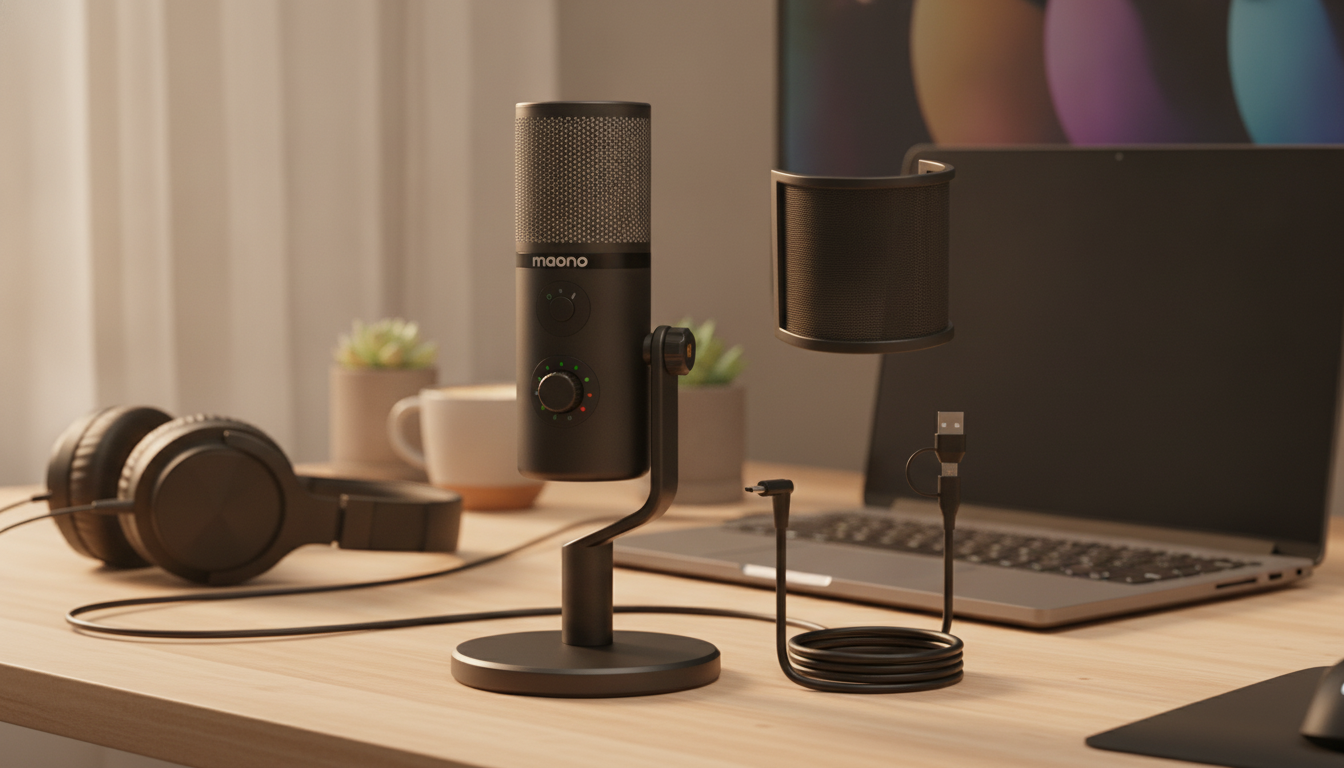
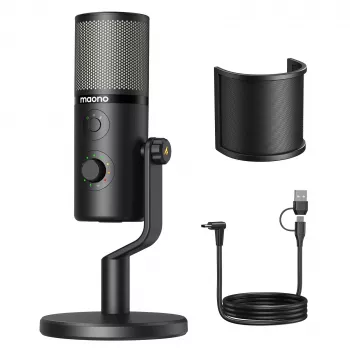
USB Condenser Microphone with 3 Polar Patterns for Clear Gaming, Streaming, and Podcast Audio
A USB condenser microphone with selectable polar patterns can adapt to solo voice chat, livestream commentary, or a two-person podcast without changing your whole setup. With a few smart switches—pattern selection, placement, and gain staging—you can get clean, consistent audio on common platforms without chasing heavy software fixes.
Why Polar Patterns Matter
Polar patterns control where the microphone “listens” most. That pickup direction directly affects how much background noise (PC fans, keyboard clicks), room echo, and off-camera sounds end up in your recording. A mic with switchable patterns is especially useful when the same desk needs to handle different jobs—gaming one night, streaming the next, then a guest interview on the weekend.
In many cases, choosing the correct pattern improves clarity more than turning up noise reduction. Noise reduction can help, but it often introduces artifacts (watery, robotic sound) when pushed too hard. A better pickup pattern plus good placement usually sounds more natural from the start.
The 3 Polar Patterns and When to Use Each
Most “multi-pattern” USB condenser mics offer three common modes: cardioid, omnidirectional, and bidirectional (figure-8). Each one changes what the capsule prioritizes—and what it rejects.
Quick pattern guide
| Pattern | Best for | Placement tip | Common mistake to avoid |
|---|---|---|---|
| Cardioid | Solo streaming, voice chat, narration | Keep the front of the mic aimed at the mouth; speak 6–10 in (15–25 cm) away | Pointing the side/back at the speaker and wondering why it sounds distant |
| Omnidirectional | Small group, room capture, round-table discussion | Center the mic between speakers; reduce room reflections when possible | Using it in a noisy room expecting background rejection |
| Bidirectional (Figure-8) | Two-person podcast/interview | Place between two speakers; keep loud keyboards/mouse on the sides (rejected area) | Putting the two speakers side-by-side on the same side of the mic |
If you want a deeper explainer on how these patterns behave in real rooms, Shure’s educational overview is a solid reference: Microphone polar patterns.
Setup for Gaming and Voice Chat
For most gaming setups, start with cardioid. It’s the go-to for reducing room reflections and keeping focus on your voice rather than your PC. Place the mic slightly off-axis—aim it 10–30° to the side of your mouth—so bursts of air from “P” and “B” sounds hit the edge instead of the capsule head-on.
In your app’s input meter, set gain so normal speech peaks around -12 dB to -6 dB. This leaves headroom for laughter or excited callouts without harsh clipping. If your environment gets loud, push-to-talk or a light noise gate can keep your channel cleaner between words.
Setup for Streaming: Consistent, “Broadcast-Ready” Voice
Condenser mics are detailed, which is great for clarity but unforgiving with plosives and mouth noise. A pop filter or windscreen (if available) helps immediately. If your microphone supports headphone monitoring, enable it so you can catch issues like hum, clipping, or an overly “roomy” tone before going live.
For processing, keep it light and predictable: a high-pass filter around 70–100 Hz to cut rumble, gentle compression (about 2:1 to 3:1) to even out volume, and minimal noise reduction to avoid artifacts. The biggest upgrade is still consistency—keep the mic at a stable distance and avoid leaning in and out mid-stream.
Setup for Podcasting and Interviews
For a single host, cardioid with closer placement usually sounds intimate and reduces room tone. Aim for a comfortable distance that doesn’t exaggerate plosives—often 6–10 inches—with the mic slightly off to one side.
For two people, bidirectional (figure-8) is the practical choice when you want one mic: sit opposite each other at similar distances and speak across the capsule. Keep noisy devices—mouse clicks, keyboard, controller taps—toward the sides, since figure-8 rejects sound from those areas better than it rejects sound from front/back.
Placement and Room Tips That Improve Sound Immediately
USB Compatibility and Practical Workflow
USB microphones are typically plug-and-play on Windows and macOS. Select the mic as your input device in the OS settings and again inside each app (Discord, OBS, Zoom, Streamlabs, and so on). If you run into detection issues, these official guides can help confirm the basics: Microsoft Support (Windows audio) and Apple Support (Mac sound input).
Common Problems and Fast Fixes
Product Options to Consider
- USB Condenser Microphone with 3 Polar Patterns for Gaming, Streaming & Podcasting ($158.47) — A single-mic solution designed to switch patterns as your setup changes from solo play to interviews.
- Waterproof Anti-Theft Laptop Backpack with USB Charging Port – Fits 15.6″ Laptop ($72.51) — A practical way to carry a laptop and accessories for mobile recording, campus streaming, or travel.
- Creative Writing Exercises eBook | Creative Writing Exercises for Writers, Storytelling Prompts, Character & Plot Development Guide ($16.99) — Helpful for planning tighter intros, transitions, and interview questions when you want your audio to feel more structured.
FAQ
Which polar pattern is best for gaming with a mechanical keyboard?
Cardioid is usually best because it focuses on your voice and helps reduce room and PC noise. Keep the mic close and aimed at your mouth, and place the keyboard as much as possible toward the mic’s rejection area; a light noise gate can help if your room is loud.
Can one USB condenser microphone handle a two-person podcast?
Yes—use bidirectional (figure-8) and seat the speakers opposite each other at similar distances. Monitor levels with headphones and keep noisy devices to the sides, where figure-8 typically rejects sound best.
Why does my microphone sound echoey on stream?
Echo usually comes from room reflections and speaking too far from the mic. Switch to cardioid, move closer, lower the gain, and add soft materials (curtains, rug, or a blanket) to reduce reflections; avoid omni in untreated rooms.












Leave a comment